
Connecting an AFTI or AFG to Emperor Lite software
This guide describes the setup of AFTI and AFG gauges in conjunction with logging the raw data in Emperor Lite.
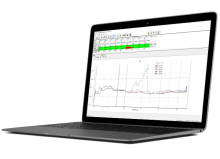
Emperor™ is only compatible with our legacy Emperor-based product ranges (MultiTest-i/xt, Vortex-i/xt, Helixa-i/xt, and FPT-H1). Mecmesin continues to provide extensive support for our Emperor-based products, including servicing, repairs and test applications.
Emperor™ Force software is easy-to-use software with almost limitless freedom to design and customise tension and compression tests to suit your needs. Developed by Mecmesin in close collaboration with our customers, Emperor™ is now trusted by over 5,000 companies for the detailed testing and evaluation of their products.
Emperor™ Torque software is easy-to-use software with almost limitless freedom to design and customise torque tests to suit your needs. Developed by Mecmesin in close collaboration with our customers, Emperor is now trusted by over 5,000 companies for the detailed testing and evaluation of their products.
This guide describes the setup of AFTI and AFG gauges in conjunction with logging the raw data in Emperor Lite.
This guide describes how to resolve the problem with the Emperor Reporter where reports are not generated successfully.
This guide will demonstrate how to export raw data from Emperor Software, the process is identical for all version of Full Emperor.
To install Emperor 1.18-408 software right click and run the Emperor setup.exe file as administrator and then follow the on-screen prompts.