
Connecting a MultiTest-dV to Windows - USB Driver update
This guide describes how to update the USB driver for dV stands in Windows OS
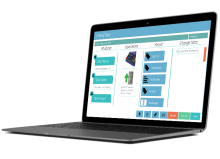
Available as an optional extra to Mecmesin’s motorised force testers, VectorPro Lite is an advanced data acquisition and plotting software package. Call-up pre-stored test routines for tensile and compression testing, present test data graphically and issue test reports.
This guide describes how to update the USB driver for dV stands in Windows OS
This document explains how to configure an AFG to communicate with a MultiTest-dV test stand
A guide on how to set up and connect your AFTI or AFG to Vector pro software
A Guide on Installing or Updating VectorPro software.
The video guide covers the system requirements and software installation process.
The video guide covers software launch and the initial software user interface.
The video guide covers the steps of creating a new VectorPro Lite test.
The video guide covers running/executing of a new VectorPro Lite test.
The video guide covers reviewing test results and graphs in VectorPro Lite.
The video guide covers sharing test results in VectorPro Lite.
Summary of new features in v12.3, including:
Summary of new features in v12.2, including:
Summary of new features in v12.1, including:
Enhanced workflow: Batch Export improved for more efficient data export
Enhanced performance: VectorPro upgraded to a 64-bit architecture, delivering improved stability, scalability, and support for larger data processing requirements
Enhanced efficiency: Improved performance when opening test results, reducing load times and improving responsiveness when reviewing historical data
Enhanced workflow: Batch set configuration now allows direct editing of the number of batches and samples, reducing repetitive manual adjustments during test setup
Enhanced result management: Option added to include or exclude archived results when viewing all test results, improving navigation and data filtering for high-volume environments
Enhanced graphing: New option introduced to limit graph overlays to a maximum of 10 traces, improving graph readability and display performance
Enhanced graph display: Ability added to display only the most recently executed sample data point in graphs, simplifying live test monitoring and result analysis
Enhanced diagnostics: More detailed event logging added for incomplete tests, supporting improved troubleshooting and test traceability
Enhanced connectivity control: Internet "On/Off" toggle check introduced within VectorPro, providing greater visibility and control over application connectivity settings
Summary of new features in v12.0, including:
Enhanced workflow: Batch Export improved for more efficient data export
Enhanced security: Logging added for failed Active Directory login attempts
Enhanced user management: Ability to record a reason when deleting users or groups
Enhanced testing setup: Default axis for new tests set to Load vs Displacement
Enhanced calculations: Offset option added to the Value @ operation, enabling calculation of results at a specified displacement before the end of the test
Enhanced test management: Ability to record a reason when deleting tests
Enhanced connectivity: Support added to transmit batch results and raw data via COM Port
Enhanced reports: Graphs in report templates now default to black
Enhanced UI/UX: Custom Workspace introduced to group related tests and reduce workspace clutter
Enhanced diagnostics: Notification added when the application fails to launch due to database folder permission issues
Summary of new features in v11.5, including:
Summary of new features in v11.4, including:
Summary of new features in v11.3, including:
Summary of new features in v11.2, including:
Summary of new features in v11.1, including:
Summary of technical features added from v10.1 to v11.0, including: